The language of the dashboard does not have to match the language of the public website. That distinction is useful when an English-speaking administrator maintains a Spanish publication, or when several editors prefer different interfaces. WordPress separates the site's language setting from an individual user's administrative language preference.
The site language helps determine translated interface strings supplied by WordPress and compatible themes or plugins. It does not translate your articles, photographs, menu labels or business information automatically. If a page contains English paragraphs, choosing Spanish in the general settings will not rewrite those paragraphs for visitors.
An individual user can choose an available language in their profile for the administrative interface. This lets an editor work with familiar labels without changing the public site's intended language. The choices visible in a particular installation depend on its available translations and configuration. A plugin may still show untranslated text even when WordPress itself is translated.
Keep three language decisions separate
First, decide the language of the published content. Second, choose the site's general language so software-generated text fits that content where supported. Third, let editors select their own dashboard preference when appropriate. Mixing those decisions can lead someone to change the entire site merely because they wanted a more comfortable editing screen.
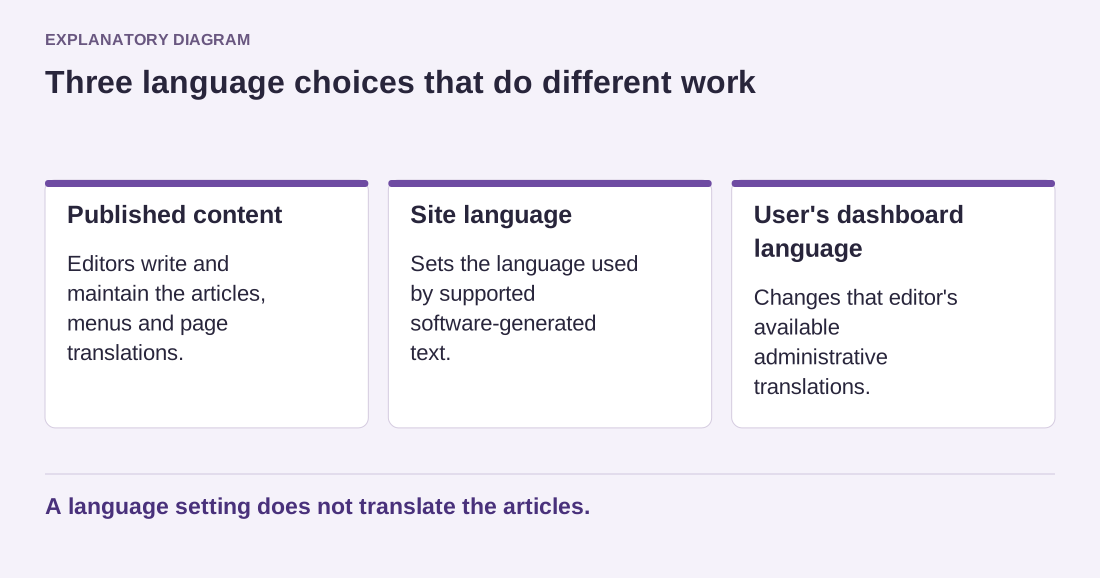
Read the diagram as text
- Published content: Editors write and maintain the articles, menus and page translations.
- Site language: Sets the language used by supported software-generated text.
- User's dashboard language: Changes that editor's available administrative translations.
A language setting does not translate the articles.
For a genuinely bilingual website, there is another layer: separate translated content, a way to connect equivalent pages and navigation that keeps visitors in the intended language. Changing the general setting is not a substitute for that publishing system. Plan how titles, URLs, categories and policy pages will be maintained in both languages before promising a language switch.
After changing a language preference, check a few software-generated labels and your own written content separately. Comments, search forms and archive headings can reveal theme translations that differ from the rest of the site. Keep a small glossary of preferred terms for editors. Consistent wording in the actual pages matters more than making every administrator use the same interface language.