A domain is the address people remember. Hosting is the service that answers when they visit. WordPress is the software that organizes the content on that hosting account. One company can sell all three together, but that does not turn them into a single thing. Keeping the distinction clear makes support conversations much shorter.
Imagine that your site opens normally but you cannot renew its name. That is a domain-account problem, not something a new theme will fix. If the domain resolves correctly but the server is unavailable, the hosting provider is the relevant contact. A misplaced paragraph belongs in WordPress. The symptom determines which account you should inspect first.
A useful account note can be organized by action: renew the name, change website hosting, manage email, publish content. Put the responsible service beside each action. This is clearer than recording only a single company name under Website. If the same provider performs several roles, list them separately anyway. Later, when one service moves, you can see what remains in place. Also distinguish the account owner from a person who has been invited to help; temporary access and long-term ownership are not interchangeable.
Write the registrar, hosting provider and WordPress administrator contact in a project note. Add the renewal dates and the email address that receives notices. Do not put passwords in that document. A business owner should know which accounts they own even when a contractor handles the daily work. An invoice alone does not prove that the account is accessible.
Domain settings may direct different services to different places. The website can use one provider while email uses another. Changing nameservers without copying the required records can therefore interrupt mail as well as the site. Before a change, obtain the current DNS records and the receiving provider's exact instructions. Avoid replacing unrelated records simply because a tutorial shows fewer entries.
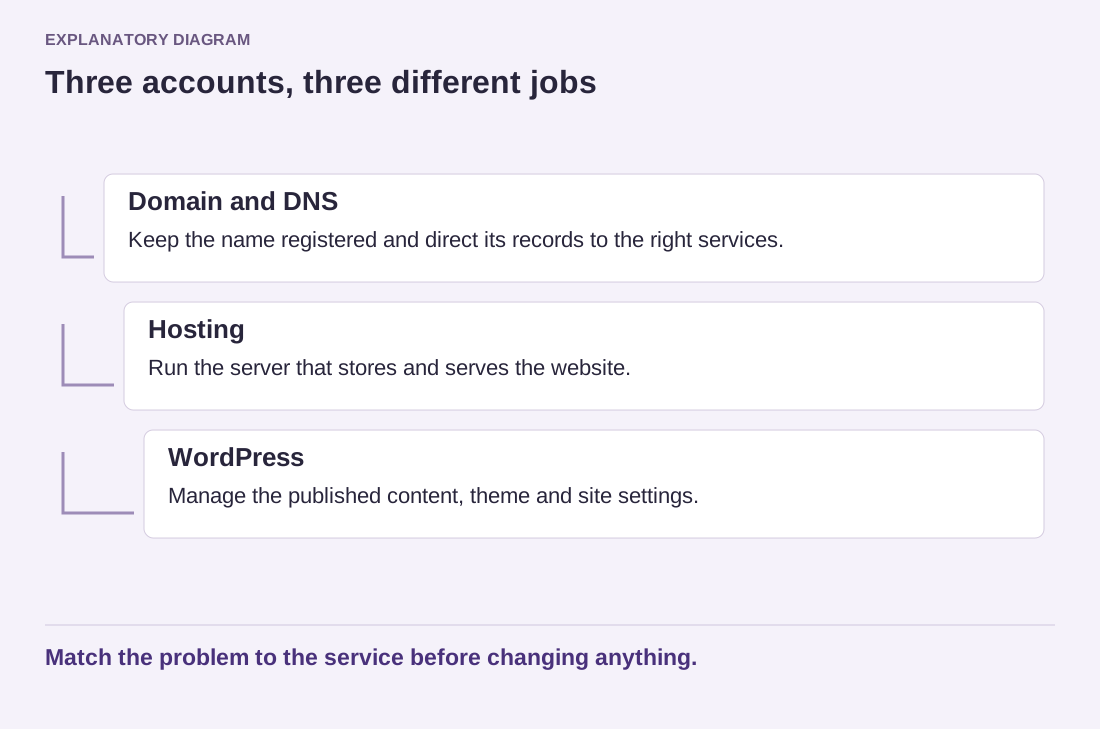
Read the diagram as text
- Domain and DNS: Keep the name registered and direct its records to the right services.
- Hosting: Run the server that stores and serves the website.
- WordPress: Manage the published content, theme and site settings.
Match the problem to the service before changing anything.
WordPress also stores addresses for its installation and public site. Those settings are not a substitute for registering a domain or pointing it at a server. Editing them casually can make the dashboard difficult to reach. When moving a live site, treat address changes as part of a planned migration rather than an ordinary branding edit.
For a new project, a useful ownership check is simple: can the responsible person access the registrar, the hosting account and a suitable WordPress account? Can they identify which service provides email? Answering those questions now prevents a small renewal or support request from becoming a search through old messages.