A useful handover note lets the next responsible person answer ordinary questions without reconstructing the project from old messages. It should explain what exists, who controls it and how routine editing works. It does not need to become a technical encyclopedia, and it should not contain a collection of plaintext passwords.
Start with the public domain, registrar and hosting provider. Record account ownership, renewal dates and the contact address receiving notices. Identify the service that handles email separately if necessary. When a contractor manages an account on the owner's behalf, explain how the owner can obtain access and what happens when that arrangement ends.
A handover can include a tiny change log: what was changed, when, by whom and where it was checked. It does not need to record every typo. Reserve it for decisions that affect future work, such as replacing the theme, adding a shared pattern or changing the contact workflow. If there are recurring paid services, list the billing owner separately from the technical contact. That separation helps the next maintainer avoid assuming that access to WordPress also grants permission to cancel a subscription or move a domain.
Describe the content structure using the site's own examples. Note which page is the homepage, where articles are published and which menus are maintained manually. Explain whether the theme uses the Site Editor or another editing interface. A screenshot can help when it is current, but a clear description of the task remains useful after buttons move.
Document the boundaries of ordinary editing
List the changes an editor is expected to make, such as updating hours or publishing an article. Separate them from changes requiring technical review, such as switching themes or modifying the site's address. This is not about preventing useful work; it reduces the chance that a routine content update becomes an unplanned structural change.
Include the location of original images, licensed assets and any custom source files. State how backups are obtained and who is responsible for checking recovery. If a service renews automatically, make that visible. Avoid vague assurances such as everything is backed up unless the note explains the actual arrangement and its limits.
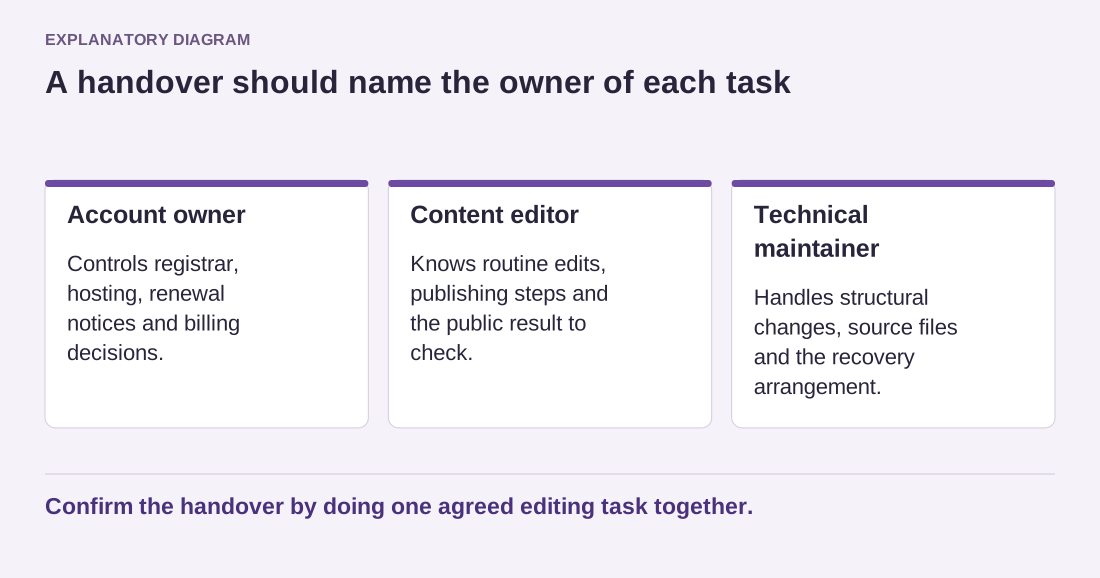
Read the diagram as text
- Account owner: Controls registrar, hosting, renewal notices and billing decisions.
- Content editor: Knows routine edits, publishing steps and the public result to check.
- Technical maintainer: Handles structural changes, source files and the recovery arrangement.
Confirm the handover by doing one agreed editing task together.
Finally, perform one small handover exercise. Ask the receiving person to locate a page, make an agreed harmless edit and find the public result. Questions raised during that exercise reveal missing instructions better than a long document nobody has used. Date the note and identify who should update it when services or workflows change. A handover is successful when responsibility is understandable, not simply when a folder has been delivered.