A table is useful when readers need to compare values across shared categories. It is not a convenient substitute for page layout. Before adding one, ask whether the relationship genuinely depends on rows and columns. A short list may explain three independent facts more clearly and adapt more easily to a phone.
For a meaningful table, give each column a clear heading and keep the entries consistent. A comparison of storage plans might use capacity, retention and restore method. Mixing long paragraphs with short numerical values can make the table difficult to scan. Move explanations outside the grid when they apply to the whole comparison.
Suppose a table compares three services across eight attributes. The reader may care primarily about availability, delivery method and included support. Move secondary explanations below the table and consider whether the remaining five attributes genuinely aid the decision. This is an editorial reduction, not just a responsive-design trick. A smaller, better chosen comparison can serve desktop readers as well. Keep important qualifications attached to the relevant value so simplification does not turn a conditional benefit into an unconditional promise.
Use the Table block's supported header and caption options where appropriate. A visually bold first row is not always equivalent to a properly identified header. The structure should communicate how cells relate, not merely resemble a spreadsheet. Avoid merging meaning into color alone; include words that remain understandable without the styling.
Test the widest content, not the average cell
A long product name or URL can determine the table's minimum width. Preview realistic entries before deciding that the layout fits. On a phone, check whether content wraps, whether columns become unreadably narrow and whether horizontal scrolling is available when necessary. Do not shrink every word simply to force a wide comparison onto one screen.
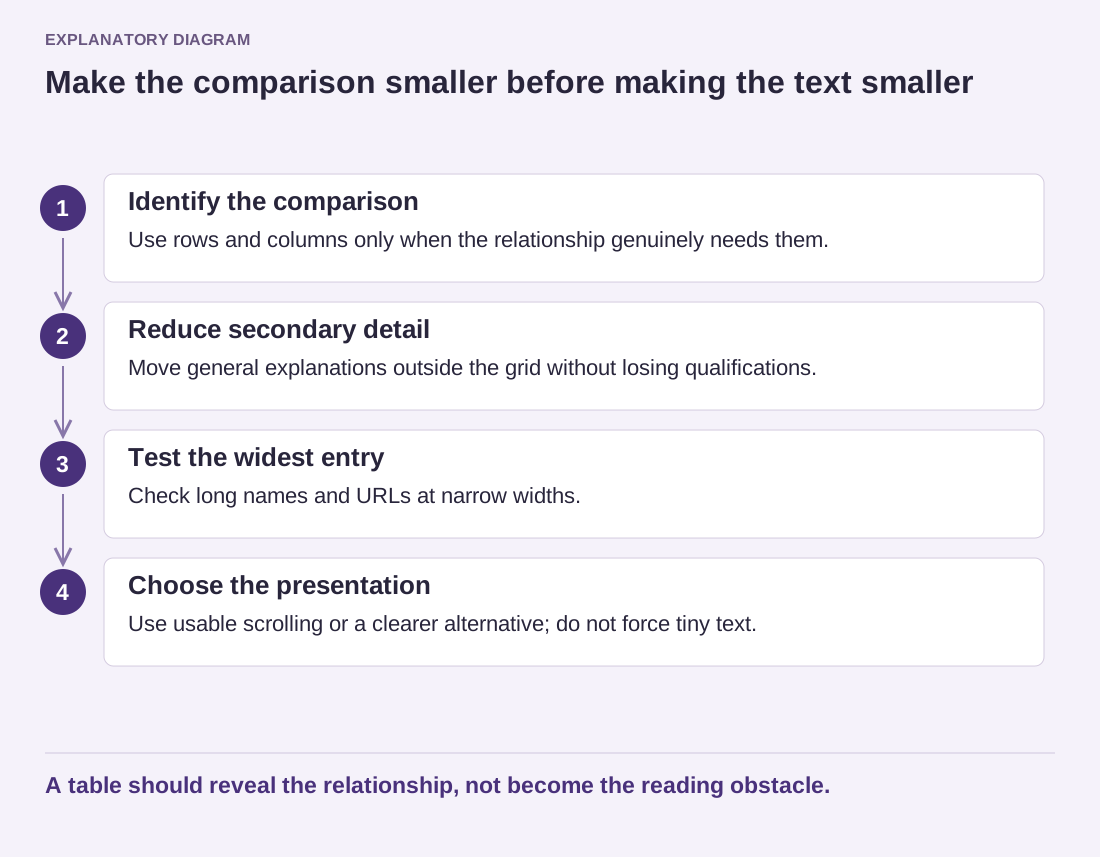
Read the diagram as text
- Identify the comparison: Use rows and columns only when the relationship genuinely needs them.
- Reduce secondary detail: Move general explanations outside the grid without losing qualifications.
- Test the widest entry: Check long names and URLs at narrow widths.
- Choose the presentation: Use usable scrolling or a clearer alternative; do not force tiny text.
A table should reveal the relationship, not become the reading obstacle.
If scrolling is required, make the behavior discoverable and preserve access to all columns. For a very complex comparison, a different presentation may be more useful: separate labeled sections, a smaller comparison of the most important attributes, or a downloadable supplementary file alongside an accessible summary. Choose based on the reader's task rather than loyalty to the original grid.
Review the table after any content update. One unusually long entry can change the behavior of the whole block. Also check the printed or copied meaning if readers are likely to reuse the information. A good table makes relationships easier to see; if the formatting becomes the main obstacle, simplify the comparison before adding more styling.