Two WordPress sites can use the same software and still offer quite different design controls. One opens a Site Editor with templates made of blocks; another uses the Customizer, widget areas and theme-specific options. Before following a design tutorial, identify the active theme's approach. Otherwise, you may spend time searching for a control that was never part of that setup.
A block theme uses blocks for the site's templates as well as for ordinary content. Its Site Editor can expose shared areas such as the header and footer, template layouts and site-wide styles. A classic theme relies on a different template structure and commonly provides its design controls through the Customizer or its own settings. There are also hybrid arrangements, so the label alone does not describe every available feature.
One more distinction is worth recording: a page-builder plugin may provide another editing interface on top of either theme arrangement. Its templates and widgets can have their own controls and dependencies. If a page was built with that tool, rebuilding only the surrounding theme may leave the page-builder content in place. Identify the owner of each visible region before removing software. A simple note such as “header from theme, landing page from builder, articles from block editor” can prevent a misleading assumption that one screen controls the entire site.
Using the block editor to write an article does not prove that the site has a block theme. The content editor and the system that builds the surrounding template are separate layers. A classic theme can display articles written with blocks. This is why a tutorial about editing a paragraph may work while one about rebuilding the header does not.
Identify the current arrangement without changing it
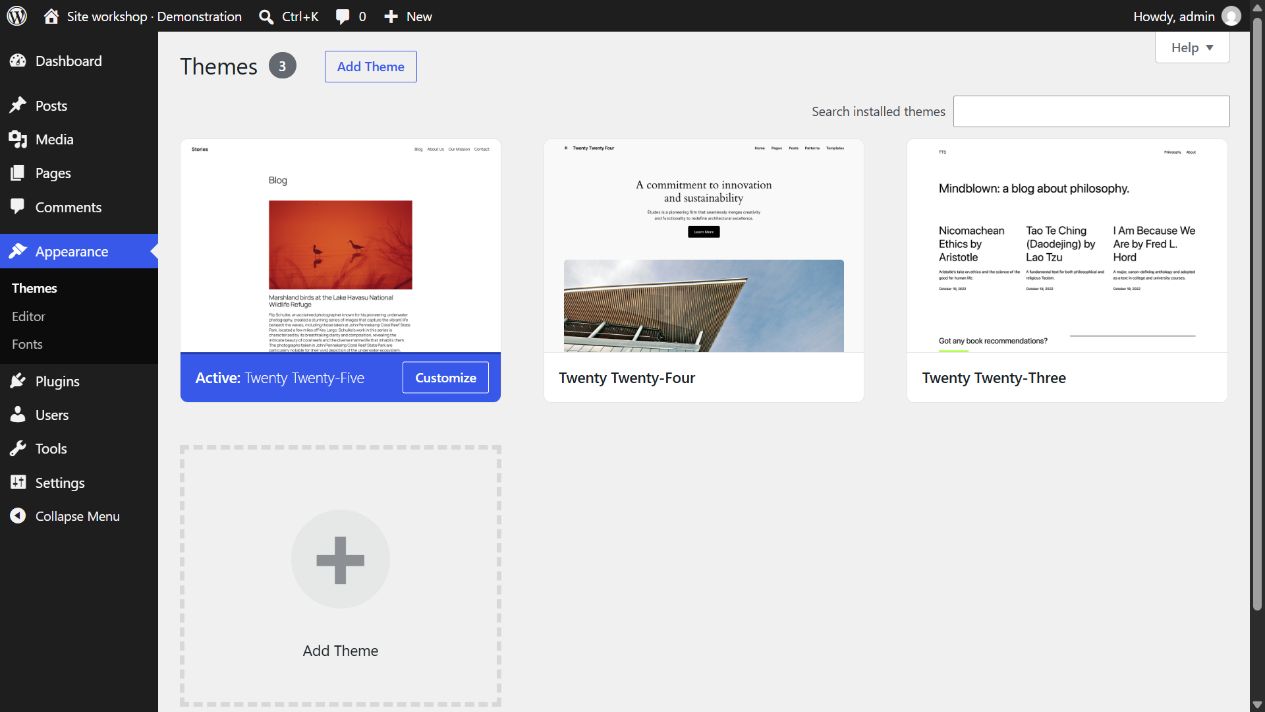
Look up the active theme's name in the administrative theme screen and read its documentation. Inspect which appearance tools are available to your account. Permissions matter: a missing menu can reflect your user role rather than the theme. If another person maintains the site, ask which tools they expect you to use before installing alternatives.
Write down the task you are trying to accomplish. Changing the words in a page, moving the navigation and altering all article layouts are three different jobs. For each, find the relevant editing layer in the current theme. This avoids treating a whole-theme replacement as the first solution to a modest content change.
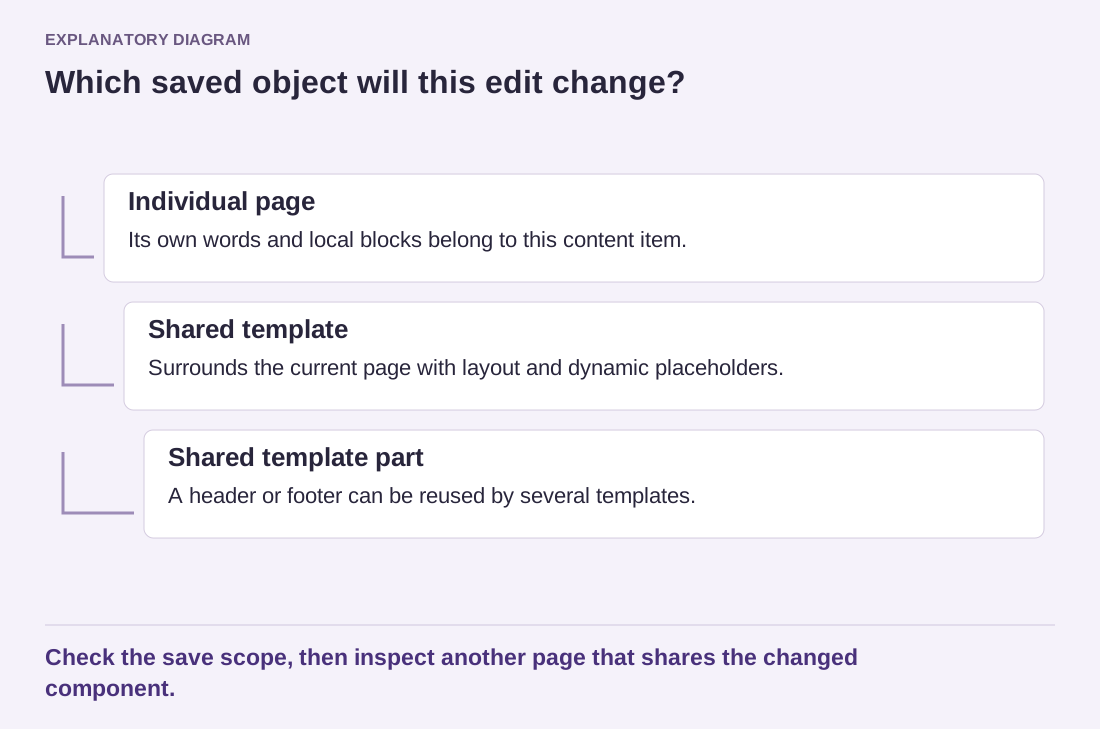
For example, suppose the homepage needs a different introduction but the header should remain consistent. Editing the homepage content may be sufficient. If you instead edit a shared template, the change could affect other pages. Conversely, editing a paragraph in one page will not necessarily alter the footer that appears throughout the site. The theme's structure explains that difference.
Evaluate a switch as a project
A different theme may be appropriate, but test it on a separate copy first. Review menus, widgets or template parts, custom layouts and the content that depends on the old theme's features. The posts may remain in the database while their presentation changes considerably. A theme preview is useful, but it is not a complete review of every page type.
Prepare a small test set: the homepage, a long article, an archive, a contact page and any unusually structured page. Use real titles and images. Check them on a narrow screen as well as a desktop. This gives you a practical comparison of the themes' behavior without relying on a demonstration populated with perfect placeholder content.
The useful choice is the editing system the site's maintainers can understand and sustain. A block theme is not automatically the right answer for every existing project, and a familiar classic theme is not automatically a problem. Once you know which system is active, you can select instructions that match it and make changes at the correct level.