Clicking a crowded page preview can select the wrong layer repeatedly. A photograph sits inside a column, the column sits inside Columns, and that group may sit inside another container. List View turns this nesting into an outline, making it easier to select the component you actually intend to change.
Open the document overview or List View control in the block editor. Expand a container to see its children, then select a named block in the outline. The corresponding part of the canvas should become selected. Before changing spacing or alignment, confirm that the selected name describes the intended layer rather than a paragraph inside it.
For example, a two-column introduction contains an image on one side and several text blocks on the other. To move the whole introduction, select the outer container. Moving only the image leaves the text behind. To adjust the space between columns, inspect the relevant layout container rather than adding blank paragraphs to one side.
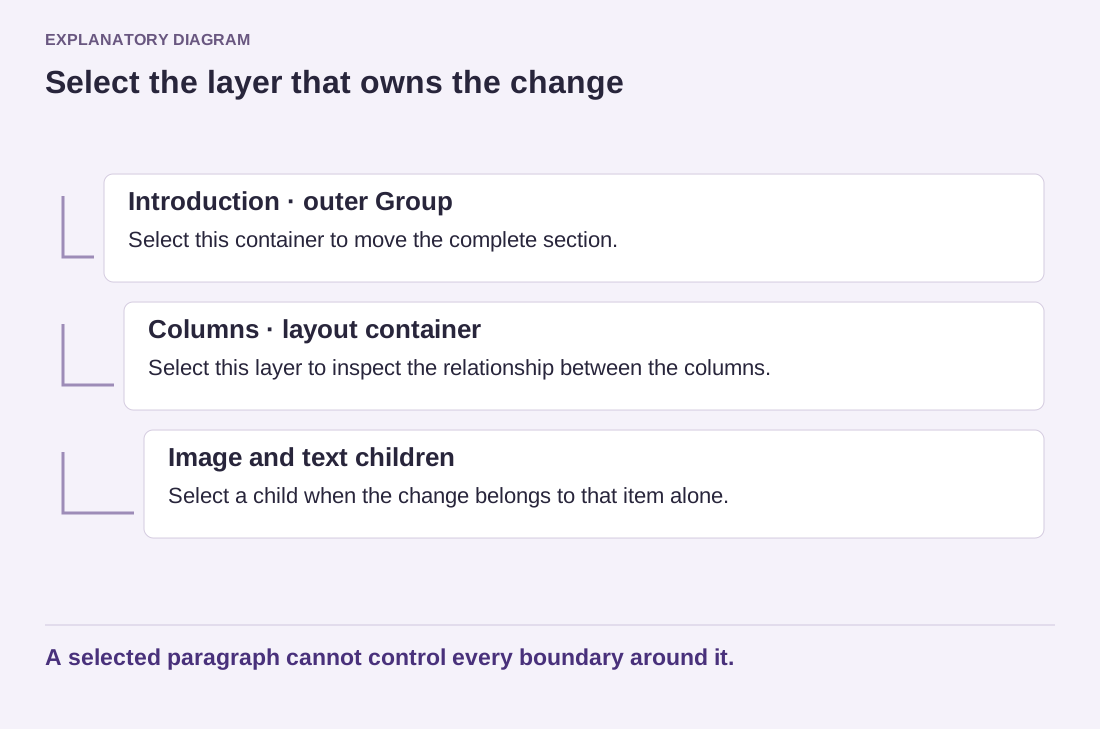
Read the diagram as text
- Introduction · outer Group: Select this container to move the complete section.
- Columns · layout container: Select this layer to inspect the relationship between the columns.
- Image and text children: Select a child when the change belongs to that item alone.
A selected paragraph cannot control every boundary around it.
Where the editor supports renaming a block, use a short functional name for important sections. Introduction, Service comparison and Contact details communicate more than several consecutive Group labels. These are editing aids, not necessarily visible headings on the public page. Keep the names descriptive enough for another editor to understand them.
Collapse sections you are not working on. This reduces the chance of dragging a block into an unrelated container. When moving content, inspect the insertion position carefully and preview the result immediately. Undo an unexpected move before making more edits on top of it; several subsequent changes can make the original mistake harder to isolate.
List View also helps identify shared patterns and locked blocks where the editor indicates them. That information matters before deleting or editing a section. A shared pattern can affect other locations, and a lock may intentionally protect the layout. The outline is more than a convenience for finding text: it is a map of the page's structure. Use it whenever the visual surface stops making the relationships clear.