A table with six opening-hour rows has different needs from a catalogue with hundreds of entries. Adding a table plugin to both by habit can create unnecessary dependencies. First decide what readers must do with the information and how often an editor will change it.
For a small static comparison, the built-in table block may be enough. A larger dataset may need sorting, filtering or an import workflow. Those features should solve a real task. A sortable column is not useful if the values are formatted inconsistently or the reader cannot understand what the column means.
Prepare a representative sample with long names, empty values and the actual number formats. Test the sample before importing the whole dataset. A demo containing short labels and perfect rows can hide problems that appear immediately with your content.
Keep the structure understandable
Use clear headers and a caption or nearby explanation where needed. Do not use a table merely to place unrelated text into columns. Readers using assistive technology need meaningful relationships between cells, and a visual grid alone does not establish those relationships.
On a narrow screen, decide how the information remains usable. Horizontal scrolling can be appropriate for a real data table, provided users can discover and operate it. Converting each row into a card can help in some cases but may make comparisons harder. Test the task rather than assuming one responsive style is always superior.
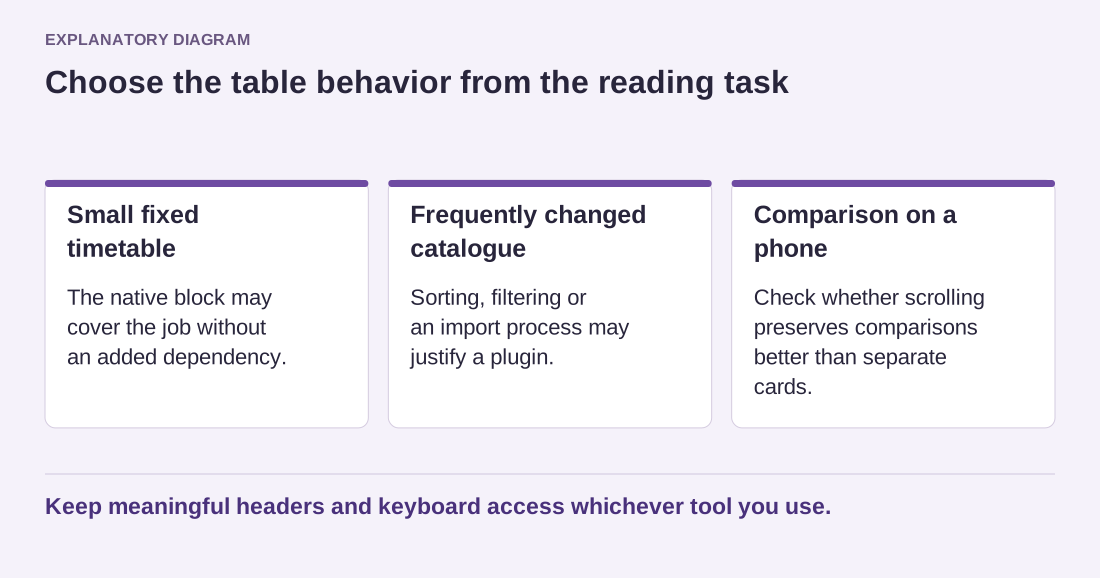
Read the diagram as text
- Small fixed timetable: The native block may cover the job without an added dependency.
- Frequently changed catalogue: Sorting, filtering or an import process may justify a plugin.
- Comparison on a phone: Check whether scrolling preserves comparisons better than separate cards.
Keep meaningful headers and keyboard access whichever tool you use.
Check how edits are saved and exported. If a nontechnical editor maintains prices or schedules, the interface should make accidental row changes easy to notice. Keep the source data outside the plugin when appropriate, and verify that an export preserves accents, identifiers and column order.
Finally, test the table without relying only on a mouse. Sorting controls need understandable labels and visible state. If the plugin introduces more complexity than the data requires, use the simpler native option. The right tool makes the information easier to maintain and read, not merely more animated.