Unexpected administrator accounts, unfamiliar redirects or files that reappear after deletion can justify a security investigation. They do not all have the same cause, so avoid making a series of undocumented changes that removes the evidence before anyone can examine it.
Protect visitors first. Contact the hosting provider through a trusted channel and explain what you observed. Depending on the situation, the provider may help restrict access, isolate the site or preserve server logs. Do not leave a page distributing harmful content available simply to keep the homepage online.
Record the time, affected URLs, visible messages and recent legitimate changes. Preserve relevant logs and a copy of the affected state through a controlled process, keeping them private. That copy is evidence, not a clean backup to restore later without review.
Use a clean administrative route
If the device or credentials used to administer the site may be compromised, coordinate recovery from a trusted environment. Changing passwords on an untrusted device can expose the replacements. Include hosting, database, email and connected services in the scope when the evidence warrants it.
Do not assume that removing the visible symptom removes the entry point. A malicious redirect can be regenerated by another component. Likewise, reinstalling core files does not necessarily clean altered uploads, database content, extensions or server configuration. A qualified investigation may be needed to determine the affected scope.
An older backup can help only if its integrity and timing are understood. Restoring a copy that already contains the problem repeats it. Before reopening the site, address the vulnerable or compromised route and verify the restored installation, accounts and important visitor workflows.
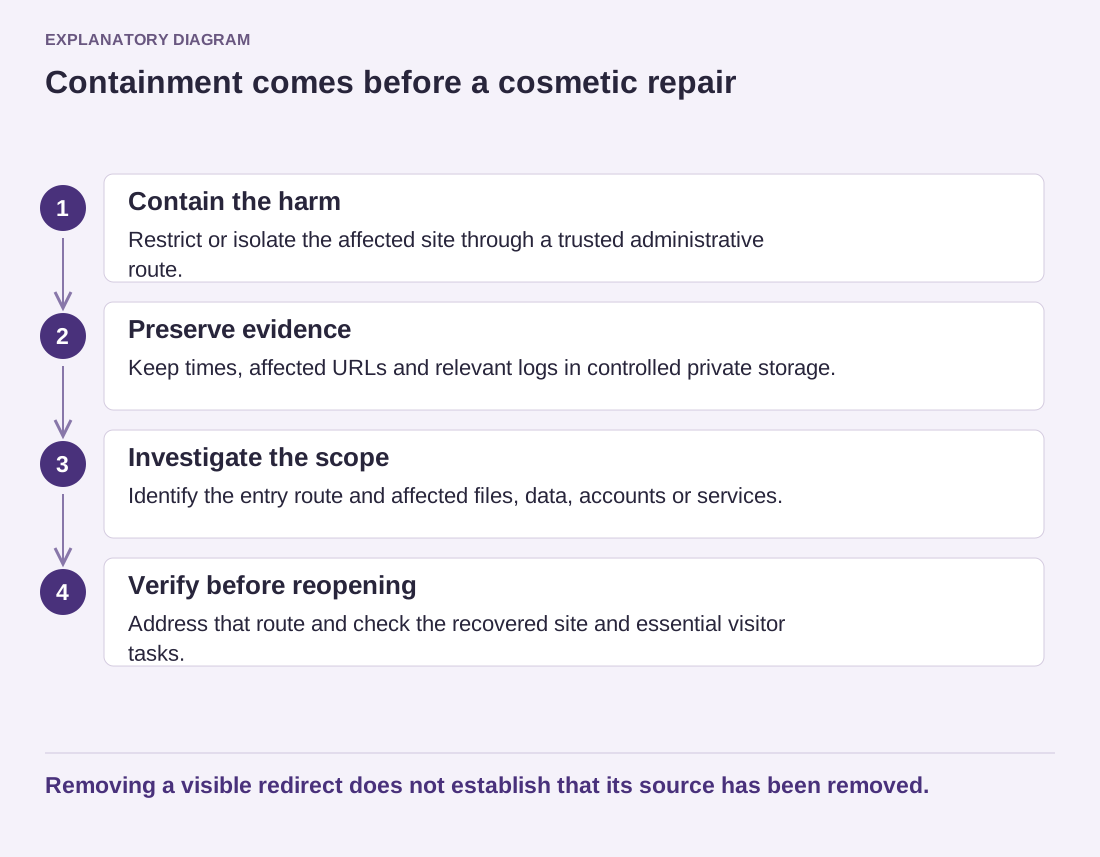
Read the diagram as text
- Contain the harm: Restrict or isolate the affected site through a trusted administrative route.
- Preserve evidence: Keep times, affected URLs and relevant logs in controlled private storage.
- Investigate the scope: Identify the entry route and affected files, data, accounts or services.
- Verify before reopening: Address that route and check the recovered site and essential visitor tasks.
Removing a visible redirect does not establish that its source has been removed.
Keep a written chronology of actions and results. It helps the host or specialist avoid repeating work and supports any necessary assessment of affected data. Do not publish customer information, credentials or raw sensitive logs in a public support thread.
For example, an unfamiliar administrator account should be recorded with its visible details and discovery time before the response team changes it. The team may then disable access as part of containment. The record helps establish whether the account appeared before or after a plugin update, a support session or another relevant event. It does not by itself establish who created it.
A copied database and a server log may contain sensitive information about uninvolved visitors. Limit who receives them and use the private channel agreed with the investigator. A public forum is useful for general questions, but it is not an appropriate evidence locker. Keep the original evidence unchanged where feasible and work from copies according to the specialist's instructions.
Avoid announcing a precise cause or the absence of data exposure before the investigation supports that statement. Describe confirmed facts and unresolved questions separately. This gives the site owner a usable basis for decisions about communication, restoration and any further obligations, without turning an early guess into the official account of the incident.
Agree who can approve reopening the site and what evidence they need. That decision should include the corrected entry route and the essential functionality checks, rather than resting only on the disappearance of a warning banner.
After recovery, update the maintenance and access arrangements that allowed the issue to persist. Add monitoring and a follow-up review appropriate to the findings. The objective is a controlled return to service with an understood cause and scope, rather than a page that merely looks normal for the next few minutes.