A WordPress site is not contained entirely in the folder you can download through a file manager. Its database stores much of the published content and configuration, while files hold the software, uploaded media and other resources. Recovering one without the other can leave a site that is incomplete or inconsistent.
Think of an article with a photograph. The database may contain the article text and a reference to the image. The actual image file belongs to the uploads directory. Restoring yesterday's database with a much older set of uploads can produce a page that refers to a photograph that is no longer present.
A useful backup set captures the relevant files and database at a compatible point in time. For a busy site, the backup system needs a method that handles changes during the process. Ask the provider how it maintains consistency rather than assuming two downloads made hours apart are equivalent to a coordinated backup.
Know what the backup includes
Check the documented scope. WordPress files, themes, plugins, uploads and configuration may be included, but external services may not be. A newsletter audience held by another company or a file stored outside the hosting account needs its own export or recovery arrangement.
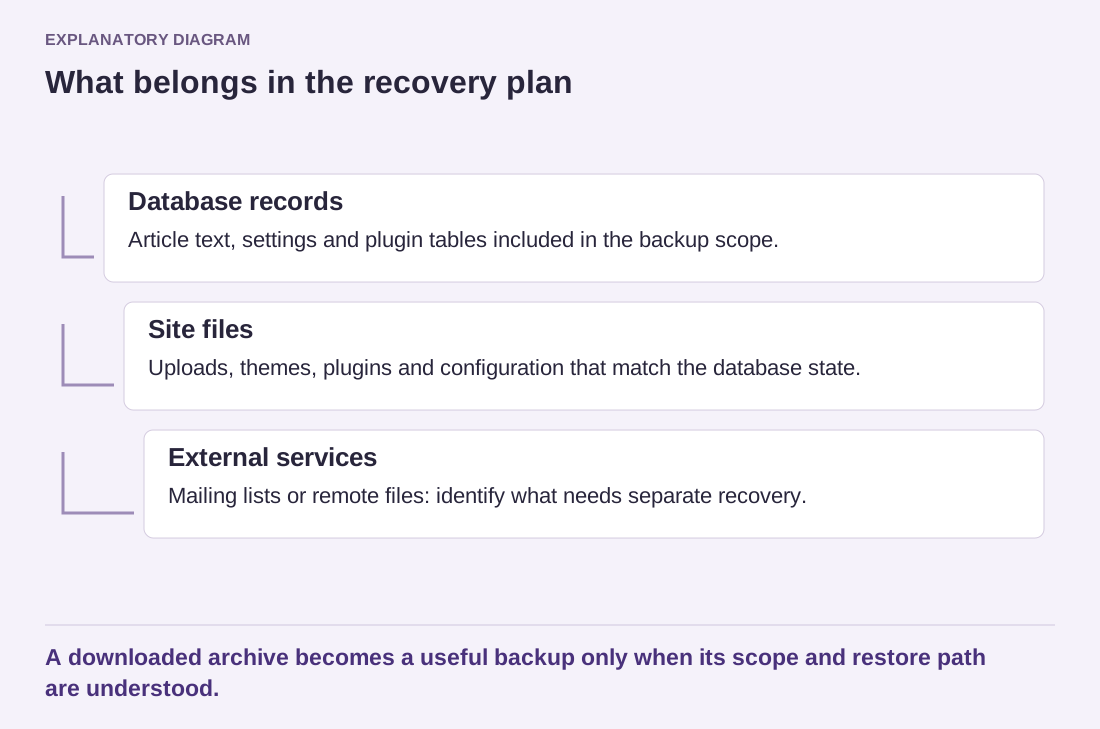
Read the diagram as text
- Database records: Article text, settings and plugin tables included in the backup scope.
- Site files: Uploads, themes, plugins and configuration that match the database state.
- External services: Mailing lists or remote files: identify what needs separate recovery.
A downloaded archive becomes a useful backup only when its scope and restore path are understood.
The standard WordPress content export is not a complete site backup. It can help move supported content, but it does not replace a recoverable database and file set. Likewise, a screenshot of settings is useful documentation, not a substitute for the data those settings control.
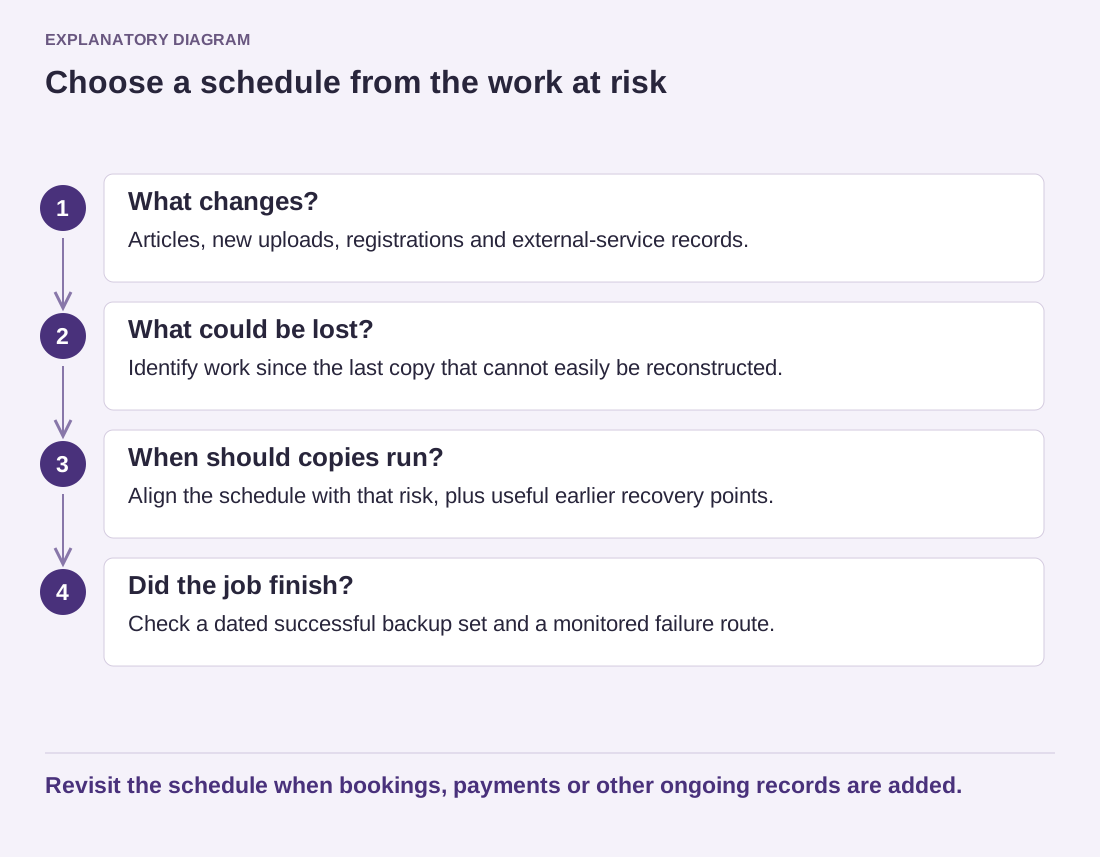
Imagine a small site whose file backup runs at midnight and whose database backup runs at noon. A photograph uploaded at 9 a.m. and a post published at 10 a.m. can create a mismatch: the noon database refers to the photograph, but the midnight file copy does not contain it. Separate schedules are not inherently unusable, but the recovery plan must explain which files belong with which database and what gap remains.
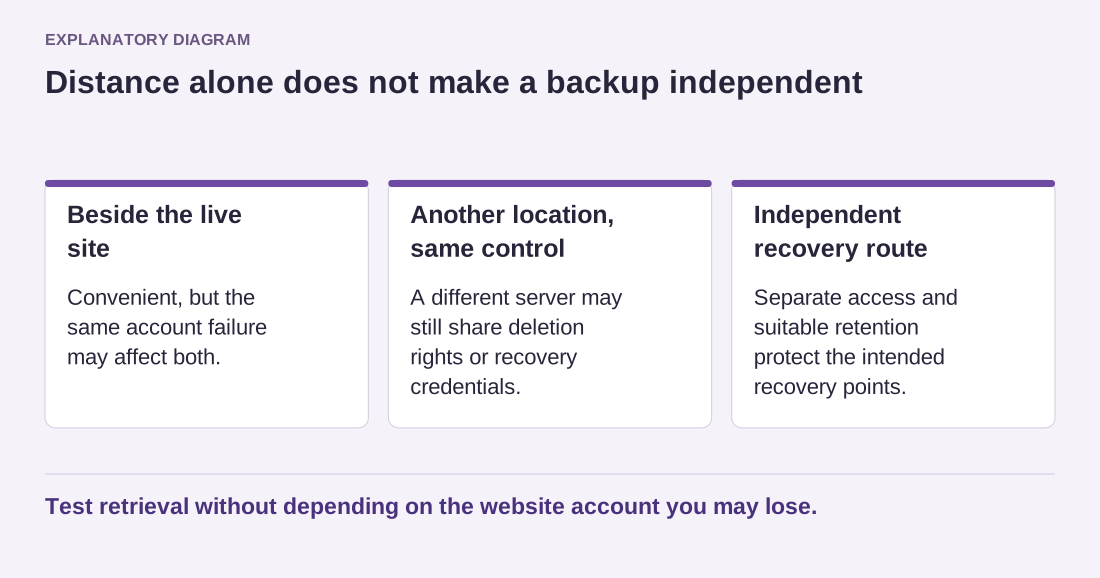
Label sets with the site, date, time zone and method. Keep the backup system's own metadata intact when it needs that information to restore. Do not rename internal pieces casually or extract only the files that look familiar. If encryption is used, store the recovery key through a separate controlled route; an encrypted archive without its key cannot help during an outage.
Prove that the set is usable
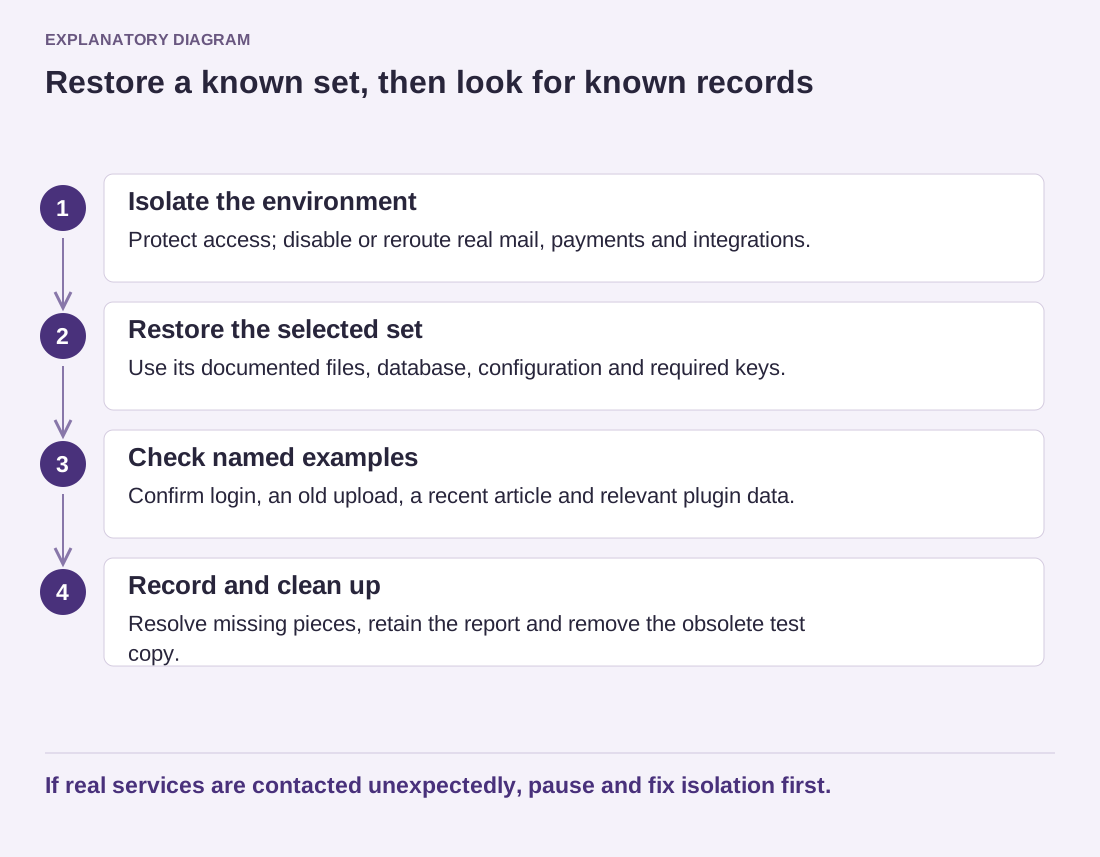
Restore a representative set in an isolated environment. Check login, several articles, older uploads and a feature that stores plugin data. Keep outgoing email and payments disabled or routed to a test service. A successful archive download does not prove that the database can be imported or that all required files are present.
A second example is a form plugin that keeps submissions in its own tables. The article pages may restore perfectly while the enquiry history is missing because the backup was configured to include only selected tables. Ask the backup tool to show its scope and compare that scope with the site's installed features. Do not infer completeness from a familiar table prefix or a green status alone.
Also distinguish the backup's creation time from the time you downloaded it. A file retrieved this morning might contain last month's state. Keep both dates when they matter, particularly when a provider presents an archive through a temporary download link. During recovery, choosing the wrong point in time can undo valid work even when every file in that archive is intact.
Write down the missing pieces discovered during the rehearsal. The result should tell a future maintainer which backup to use, how to obtain it and what additional services must be recovered separately. That is a recovery resource rather than merely a collection of compressed files.