A shortcode is easy to overlook because it can be only a short piece of text in the editor. While its plugin is active, that text may produce a gallery, form or other feature. When the code that interprets it disappears, the published result can change or expose the shortcode itself.
Before retiring an extension, find the shortcodes it provides and the places where they are used. Search posts and pages, but also inspect widget areas, reusable content and templates where relevant. A visual review of the homepage will not reveal a form embedded in an old landing page.
Make a list of affected URLs and the purpose of each shortcode. Distinguish an obsolete feature that can be removed from a feature that still needs a replacement. The same shortcode can have different parameters, so a blind text replacement may change behavior unintentionally.
Replace the result, not just the syntax
If the old shortcode displays a contact form, the new form must preserve the necessary fields, delivery route and confirmation behavior. Replacing one bracketed name with another does not establish that the workflow remains equivalent. Test with invented entries and inspect the receiving mailbox or stored record.
For a gallery, keep track of the original images and their order. For a download feature, verify the destination and access restrictions. Some shortcode output depends on records stored in the old plugin's tables, so deleting that plugin first can remove information needed for the migration.
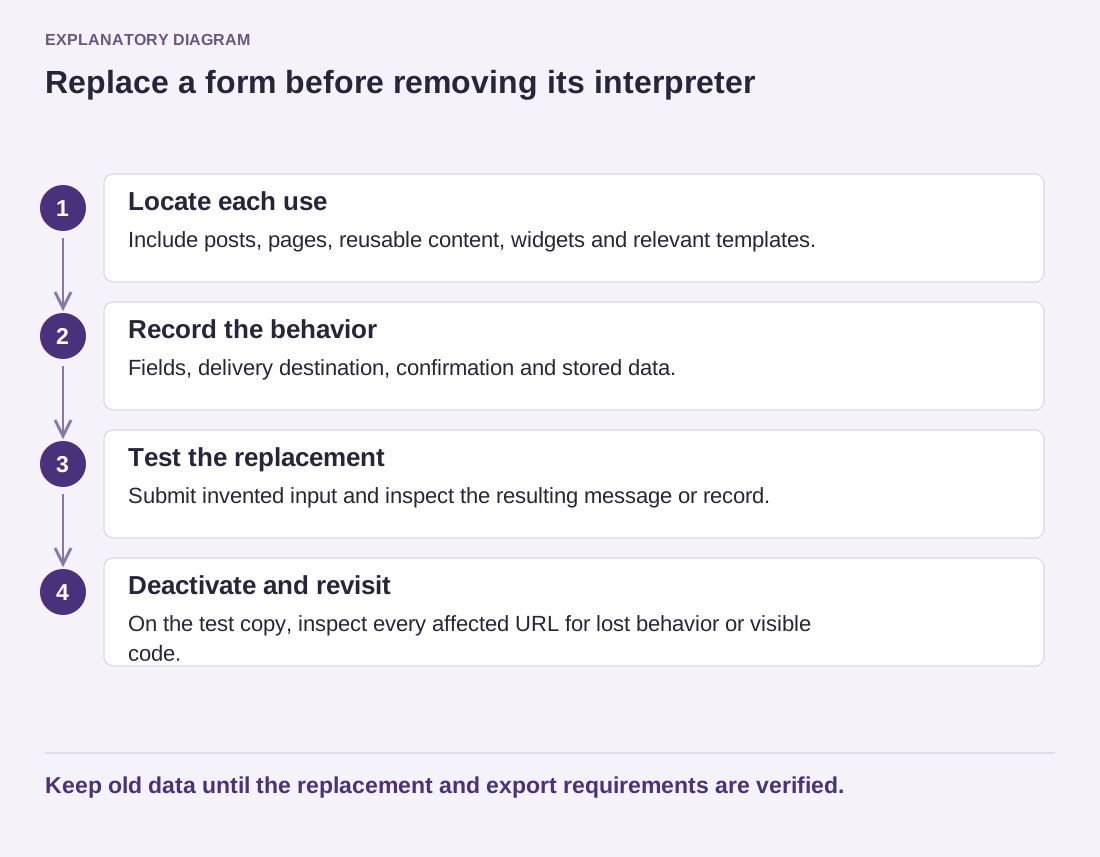
Read the diagram as text
- Locate each use: Include posts, pages, reusable content, widgets and relevant templates.
- Record the behavior: Fields, delivery destination, confirmation and stored data.
- Test the replacement: Submit invented input and inspect the resulting message or record.
- Deactivate and revisit: On the test copy, inspect every affected URL for lost behavior or visible code.
Keep old data until the replacement and export requirements are verified.
Work on a copy and keep a backup before large edits. Use a limited, reviewed batch rather than a broad search-and-replace across unfamiliar database fields. If a developer performs the migration, ask for a list of changed content and a way to reverse the operation.
After replacing the known instances, deactivate the old plugin on the test site and revisit every affected page while logged out. Check for visible bracketed text and missing interactive behavior. Keep the inventory until the live change is complete; it is the evidence that the dependency was removed intentionally rather than merely hidden.