Moving away from a plugin is easiest to plan before it contains months of work. A directory of members, a booking calendar and a collection of custom fields may all look like ordinary WordPress content on the screen. Behind that screen, they can use very different storage and export arrangements.
Ask which information lives in standard posts and metadata, which lives in the plugin's own tables and which belongs to an external service. You do not need to become a database developer. You do need to know which export or backup captures each part, and whether access depends on an active subscription.
A CSV file is not automatically a complete exit route. Open a sample and inspect the columns. Dates without time zones, customer numbers without related contact records, or image references pointing to a service you plan to cancel can make an apparently successful export difficult to use.
Try a small round trip
Create several invented records with different conditions: an appointment that was cancelled, a member with an accented name and a record containing an attachment. Export them, then see whether the proposed destination can import the fields you need. Preserve the original export while experimenting so that a spreadsheet application does not silently alter identifiers or dates.
Attachments deserve their own question. An export may contain links rather than the files themselves. Confirm whether you can obtain the originals, how they are matched to records and whether the links will remain available after cancellation. Do not assume a WordPress content export includes every file controlled by an extension.
Read the deletion behavior before pressing Delete. Some plugins keep their settings; others offer cleanup options or remove their own tables. A backup can protect against accidental loss, but only if it includes the relevant database and files and you know how to restore them.
A membership directory offers a useful example. An export containing names and numeric membership levels may look complete, but the meaning of level 3 may exist only in the old system. Include the level definitions, status meanings and any relationship between records in the exit notes. If attachments are named with internal numbers, preserve the mapping that connects them to members. The aim is not merely to possess files; it is to retain enough context for another system or a human reader to understand what those files represent.
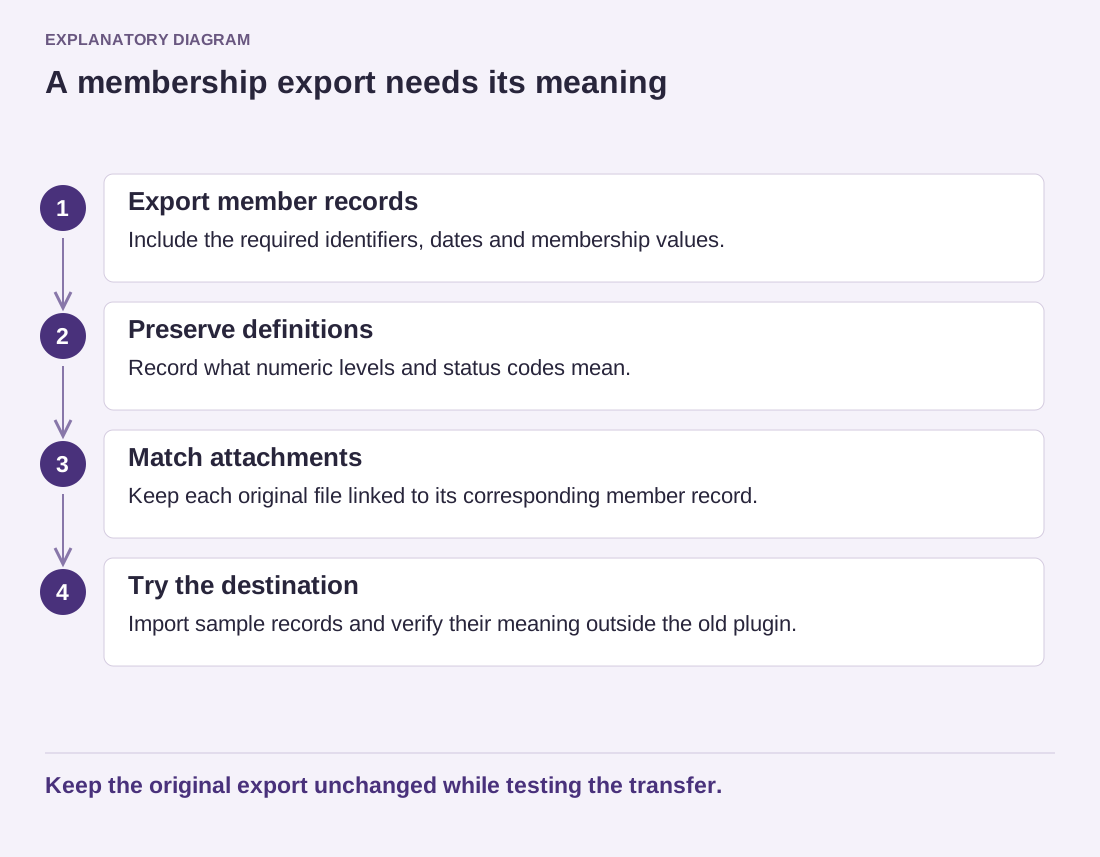
Read the diagram as text
- Export member records: Include the required identifiers, dates and membership values.
- Preserve definitions: Record what numeric levels and status codes mean.
- Match attachments: Keep each original file linked to its corresponding member record.
- Try the destination: Import sample records and verify their meaning outside the old plugin.
Keep the original export unchanged while testing the transfer.
Keep a short exit note beside the plugin's license information: export location, included data, missing pieces and the date the procedure was checked. This is particularly valuable for a feature that another person manages. It makes replacement a planned transfer of information rather than a hurried attempt to recover it after access has ended.