One page may need a different layout without requiring a new design for the whole site. A campaign page might omit a sidebar, or a portfolio introduction might need a wider content area. Where the active theme supports it, assigning a separate template can create that exception while leaving the common page template intact.
First decide whether the difference really belongs to the template. A special paragraph, image or local section can often live in the page's content. A change to the surrounding arrangement is a stronger reason for a separate template. Creating a new template for every small content variation makes the site harder to maintain.
Review the templates already available before making another. The theme may provide a suitable option. In a block-theme workflow, you can inspect the template assigned to the page and, where supported, create or choose a custom one. The exact controls depend on the theme, version and permissions, so confirm the current editing context.
Preserve the dynamic content
A custom template still needs to display the current page's content in the intended place. Do not replace its Content block with a fixed copy of one page's text unless that fixed behavior is truly the goal. Likewise, shared header and footer parts can remain connected even when the main layout differs. Decide which components should stay common.
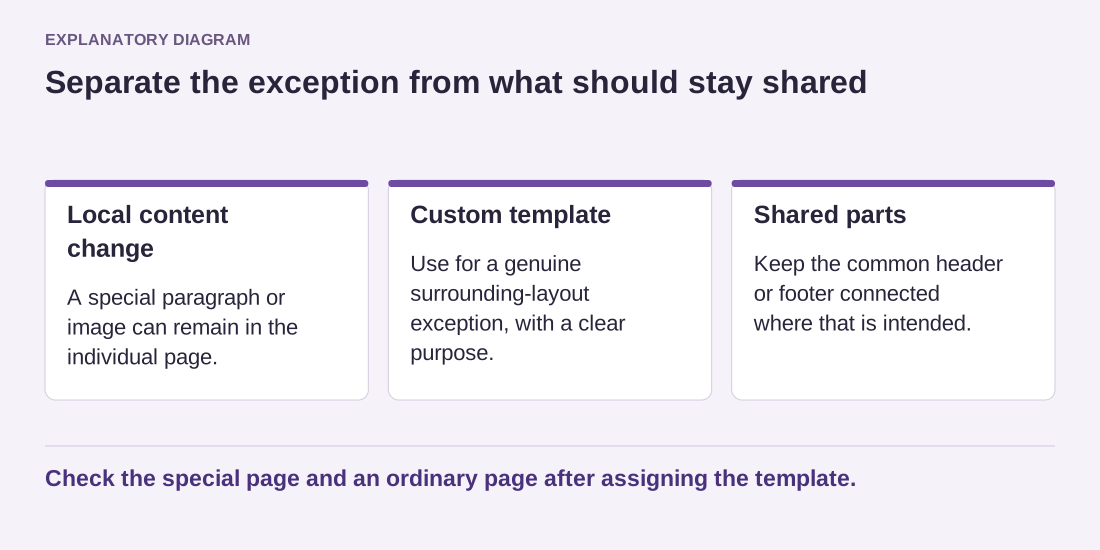
Read the diagram as text
- Local content change: A special paragraph or image can remain in the individual page.
- Custom template: Use for a genuine surrounding-layout exception, with a clear purpose.
- Shared parts: Keep the common header or footer connected where that is intended.
Check the special page and an ordinary page after assigning the template.
Name the template by its purpose, such as Wide portfolio page, rather than an unexplained number. Record which pages use it. A descriptive name helps future editors avoid assigning the layout to unrelated content just because its preview looks appealing. It also makes redundant templates easier to identify later.
After assignment, open the target page and a normal page side by side. Confirm that the intended exception changed and the common layout did not. Test the special template on mobile with realistic text. If only one temporary page uses it, note whether it should remain after that page is retired. A controlled exception is useful; a growing collection of nearly identical templates is usually a maintenance problem.