An attachment can make an enquiry easier to understand. A photograph of a damaged part may save several messages. But adding an upload field also creates a route for untrusted files, and the owner must decide where those files go and who can open them.
Begin with the actual need. If a visitor can describe the issue in a few sentences, an attachment may be optional. If a document is necessary, identify the smallest useful set of file types and a reasonable size limit. A generic “upload anything” field is rarely a sensible requirement.
Check the chosen plugin's documentation rather than assuming all uploads work alike. Contact Form 7, for example, distinguishes the upload field from the mail setting that attaches the file. Other products may keep uploads in storage and email a link. That difference affects access, retention and the experience of the person receiving the enquiry.
Follow the file after submission
Test with an ordinary permitted file and with a file that exceeds the stated limit. The visitor should receive an understandable error without losing all the other information entered. Verify that restrictions are enforced by the server-side implementation, not merely suggested by a browser file picker.
Find out whether a stored file can be opened by anyone who knows its URL. A hidden link is not the same as controlled access. Sensitive documents need an appropriate protected workflow, and an ordinary public contact form may not be the right place for them.
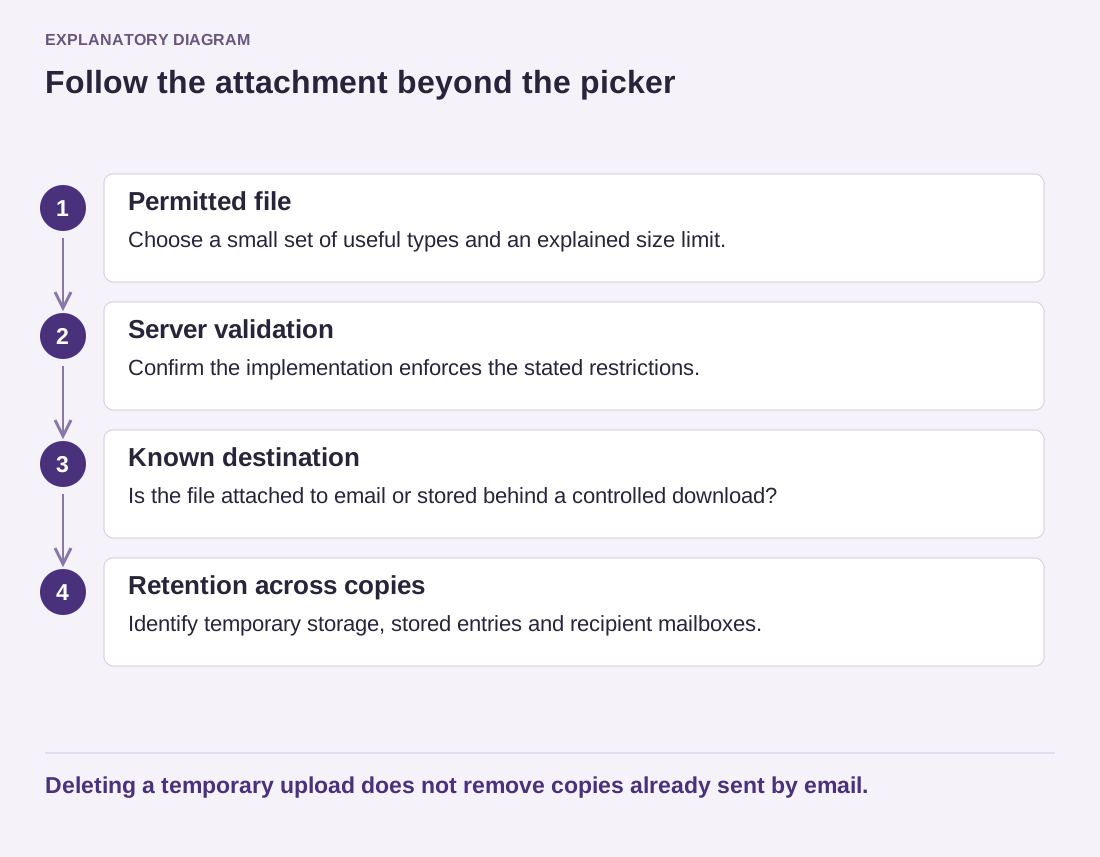
Read the diagram as text
- Permitted file: Choose a small set of useful types and an explained size limit.
- Server validation: Confirm the implementation enforces the stated restrictions.
- Known destination: Is the file attached to email or stored behind a controlled download?
- Retention across copies: Identify temporary storage, stored entries and recipient mailboxes.
Deleting a temporary upload does not remove copies already sent by email.
Decide who reviews attachments and how long they are kept. Files copied into email can remain in several mailboxes even after a plugin deletes its temporary copy. Avoid promising immediate deletion unless the whole process supports it. Staff should treat incoming files as untrusted, even when the message looks plausible.
For large transfers or sensitive exchanges, consider a purpose-built service with the required controls instead of forcing email to carry everything. Explain the chosen route clearly on the form. The best upload field is one that serves a defined task and has a known destination, rather than an extra feature added because the builder made it easy.