An update window is the period in which someone can apply a change, verify important functions and respond if something fails. It should not end the moment the progress bar disappears. A successful update message confirms only part of the work.
Choose a time based on the site's activity and the availability of the people who maintain it. Updating a booking system immediately before the responsible person goes offline can leave a small problem unattended. At the same time, a security fix should not be postponed indefinitely while waiting for a perfectly quiet day.
Read the release notes for the components being changed. Identify database migrations, compatibility requirements and changes affecting a critical workflow. Make sure a current recoverable backup exists, and test significant changes on a representative staging copy when the setup permits it.
Define the checks before clicking Update
For a small business site, the checks might include opening the homepage, submitting the contact form and editing a service page. A store or membership site has different critical paths. Write the short list in advance so that the most visible page does not become the only thing checked.
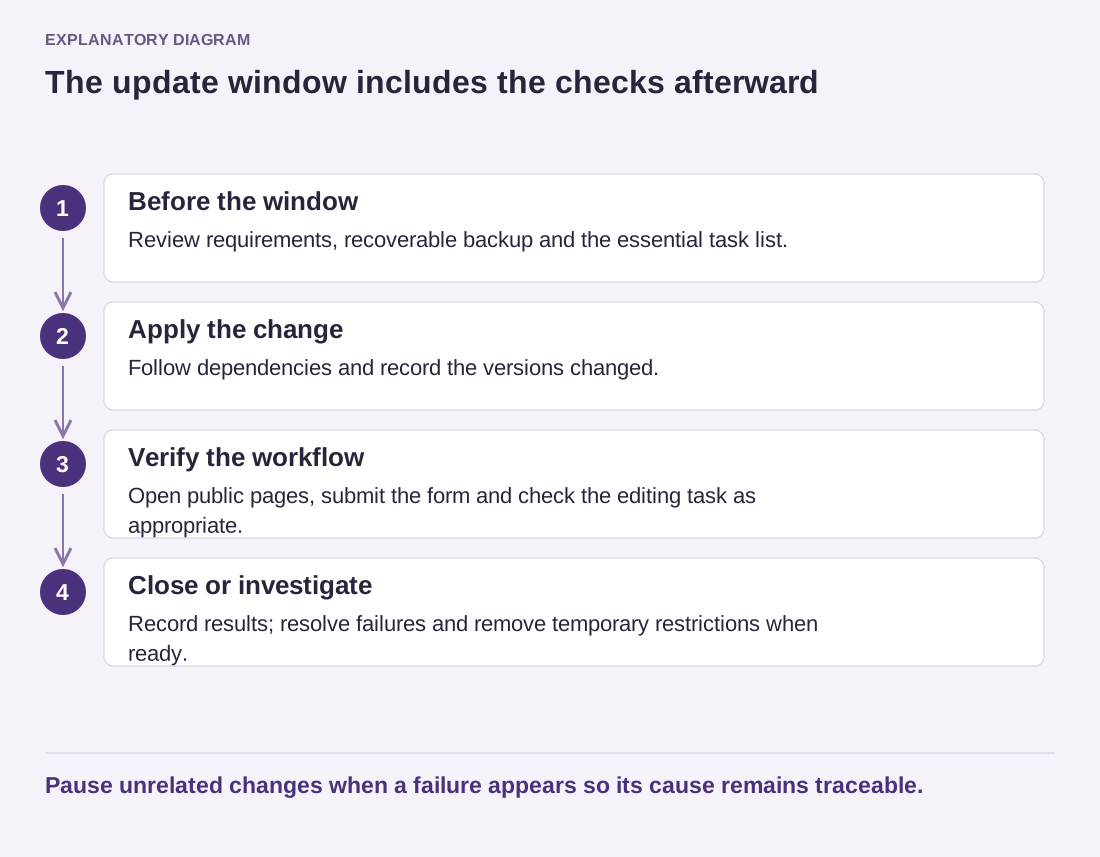
Read the diagram as text
- Before the window: Review requirements, recoverable backup and the essential task list.
- Apply the change: Follow dependencies and record the versions changed.
- Verify the workflow: Open public pages, submit the form and check the editing task as appropriate.
- Close or investigate: Record results; resolve failures and remove temporary restrictions when ready.
Pause unrelated changes when a failure appears so its cause remains traceable.
Consider changes happening during the window. Restoring a database backup can remove records created after that backup, including new enquiries or orders. The recovery plan must account for that gap. Do not treat a full restore as a harmless undo button on a site that continues accepting data.
Apply changes in a sequence that allows you to understand the result, following documented dependencies. Record versions and any unexpected behavior. If a problem appears, pause additional unrelated changes and investigate the specific failure rather than continuing until the original cause becomes impossible to identify.
After verification, check that the site is publicly accessible and that any temporary maintenance restriction has been removed. Keep the change record with the backup reference and unresolved observations. A well-planned window gives the next maintainer a clear account of what changed, what was checked and what would be required to recover.