The homepage looks excellent on the newest phone in the office. Its animation is smooth, the menu appears immediately and the product grid fills quickly. That is a useful observation about one device. It is not a reason to assume the same experience for a reader using an older handset on the way home.
Choose a second phone you can actually use and describe it honestly. It does not need to be the oldest device you can find. A supported, less powerful model gives you another view of the page without turning the exercise into an unrealistic endurance test. Record its model, browser and connection beside your notes.
Give the test a short story
Instead of opening the homepage and staring at it, follow a visitor's task. Find a category, open an article, use the menu and return to the list. On a business site, find the contact details and complete a harmless form test if the environment allows it. Observe the moment each action becomes available, not just the moment the background appears.
Try the first visit and then a return visit, keeping those notes separate. Write down whether you were logged in and whether optional features were enabled. If the phone changes networks halfway through, record that too. A pause during an unstable connection is worth noticing, but it should not be compared silently with a clean run on reliable Wi-Fi.
Chrome describes device mode as an approximation. Its viewport and throttling controls do not turn a desktop computer into the mobile hardware being simulated. Use them to investigate a problem, then check important interactions on a physical device when one is available.
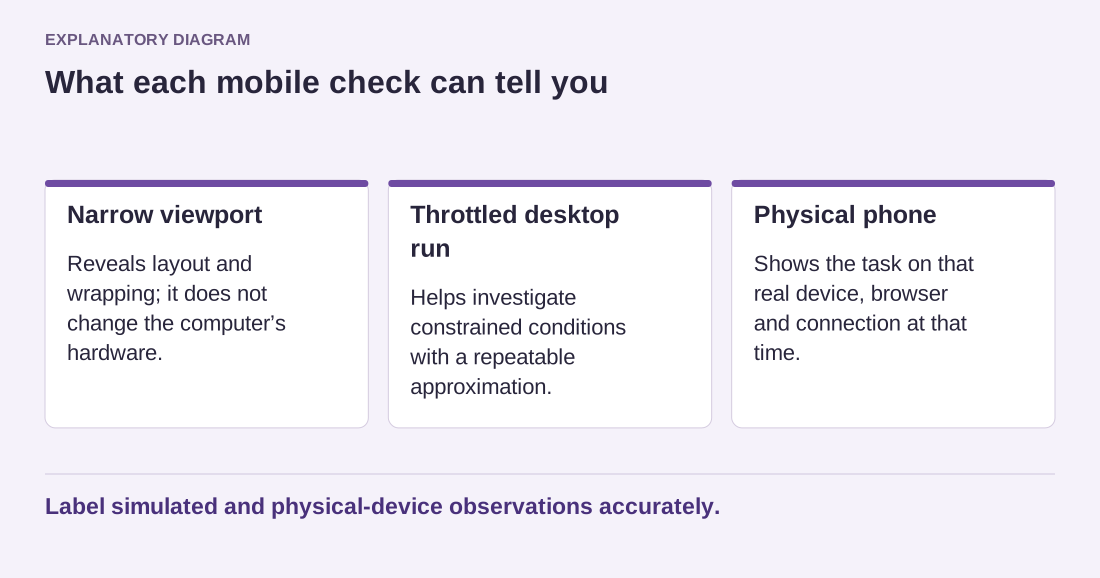
Read the diagram as text
- Narrow viewport: Reveals layout and wrapping; it does not change the computer’s hardware.
- Throttled desktop run: Helps investigate constrained conditions with a repeatable approximation.
- Physical phone: Shows the task on that real device, browser and connection at that time.
Label simulated and physical-device observations accurately.
Describe the failure precisely
A useful note might say that the menu opens after the second tap while the first tap appears to do nothing. Another might describe text shifting just as the reader selects a link. These observations give you something to reproduce. Writing only that mobile feels slow leaves the next person guessing which part of the experience needs attention.
Avoid changing several settings while moving between devices. First reproduce the same route on each phone, then isolate a possible cause on a test copy. If removing an animation makes navigation more predictable, verify the other pages that share it before keeping the change. Faster first paint is not enough if the search panel has become difficult to operate.
Keep the scope modest and explicit. Two phones do not represent every visitor, and a simulation is not proof of a real mobile result. Together they can reveal a problem that your fastest device concealed. Repeat the relevant route after the fix and retain enough detail to notice if the same problem returns.