Database cleanup tools make deletion look tidy. They may display old revisions, temporary values or tables left behind by software. Those labels are starting points for investigation, not proof that every listed item can be removed safely.
A WordPress database holds more than published paragraphs. Plugins can store settings, transactions, relationships and scheduled work in different ways. An unfamiliar table name may belong to a feature that is still required. Age alone does not tell you whether a record has finished its job.
Name the problem first
Decide what you are trying to improve. Is storage nearly full, a particular query slow, or a backup taking longer than expected? These are different problems. Deleting revisions because a dashboard offers a large number may have little effect on the task that is actually slow.
Record the current size and the affected behavior before making a change. If the host reports a specific table or query, keep that information. A narrow diagnosis lets you ask the relevant plugin maintainer a useful question instead of applying a general cleanup across the entire database.
Establish a recovery path that covers the database
Take a backup that includes the relevant database and files, and know how it can be restored. A collection of uploaded images is not a database backup. Test risky cleanup on a staging copy where its effects can be inspected without interrupting visitors or losing new submissions.
For a site that receives orders, bookings or form entries, timing matters. Restoring an older database can replace newer records created after the backup. Plan the work with the person responsible for that data; do not treat restoration as an invisible undo button that preserves every later change automatically.
Consider a plugin that was removed months ago. Its old table may be unnecessary, but first confirm that the plugin is truly retired, no replacement reads the data and no retention requirement or business need remains. Exporting needed information before cleanup is different from keeping an unexplained production table forever.
Separate disposable caches from valuable history
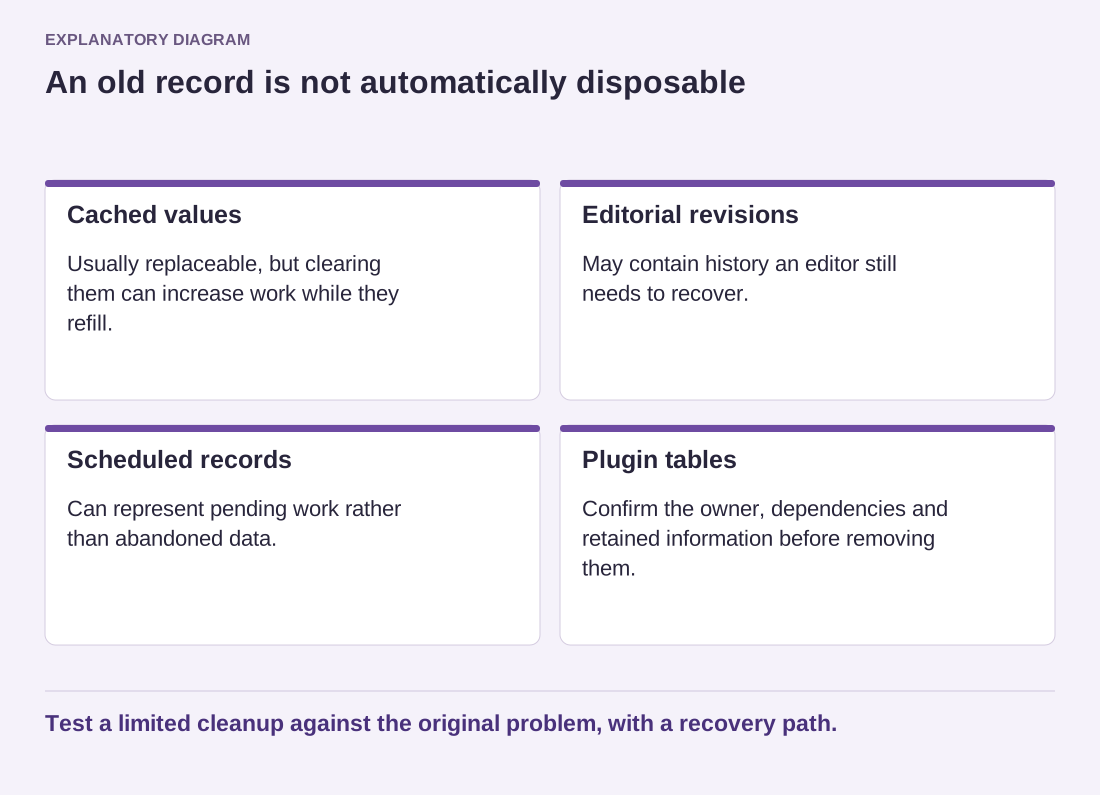
Temporary cached values are generally intended to be regenerated, but clearing them can create extra work while they refill. Revisions may provide editorial history that someone still needs. Scheduled records can represent pending tasks rather than junk. Each category deserves its own decision.
Read the diagram as text
- Cached values: Usually replaceable, but clearing them can increase work while they refill.
- Editorial revisions: May contain history an editor still needs to recover.
- Scheduled records: Can represent pending work rather than abandoned data.
- Plugin tables: Confirm the owner, dependencies and retained information before removing them.
Test a limited cleanup against the original problem, with a recovery path.
Run a limited change and then test the functions related to the removed data. Check editing, forms, scheduled work and any business workflow in scope. Compare the original symptom rather than celebrating the number of deleted rows. A smaller database with a broken booking process is not an improvement.
Keep a short log of the tool, selected categories, backup reference and outcome. Avoid copying raw personal data into that log. If the relationship between a table and the application remains unclear, leave it in place until someone can explain it. The cleanest-looking dashboard is not worth turning recoverable uncertainty into permanent loss.