An HTTPS page can still reference an image, script or other resource through an HTTP address. Browsers may upgrade or block certain requests, and the visible result depends on the resource type and browser behavior. The useful question is which exact request still uses the old address.
Inspect the page's network or console information and record the resource URL. Then identify where that URL comes from: article content, a theme setting, a stylesheet, an external embed or a plugin. Replacing a random image in the media library will not fix a URL hard-coded elsewhere.
Check whether the resource is available correctly over HTTPS. Do not simply change the letters and assume the destination supports secure delivery. If it belongs to a third party that does not offer a suitable secure resource, consider replacing or removing that dependency.
Correct the source of the address
For a single article image, editing the relevant content may be sufficient. After a migration, many old URLs may require a controlled replacement using a method that understands WordPress data structures. Back up first and test on a copy; a raw database text replacement can damage serialized values.
Review theme and plugin settings separately from post content. A background image or external font may be stored in a different place. Ask the component maintainer about an address generated by code rather than modifying vendor files that will be overwritten by an update.
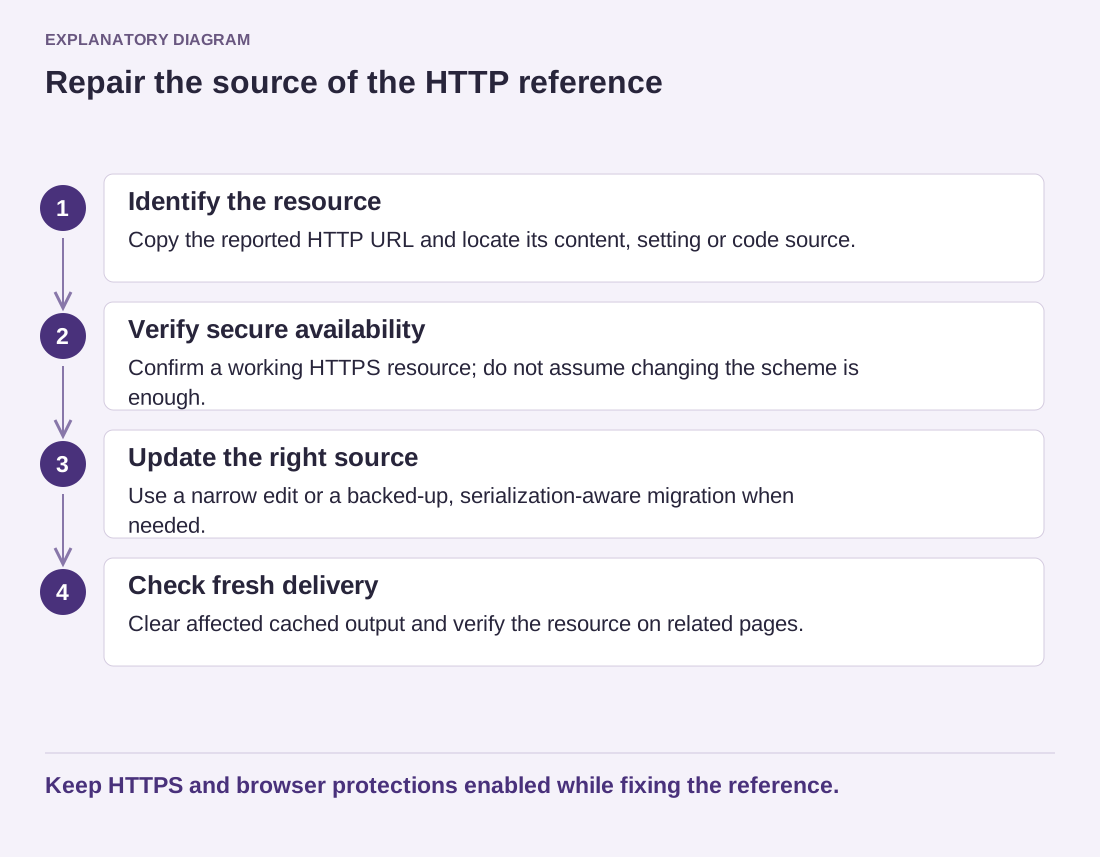
Read the diagram as text
- Identify the resource: Copy the reported HTTP URL and locate its content, setting or code source.
- Verify secure availability: Confirm a working HTTPS resource; do not assume changing the scheme is enough.
- Update the right source: Use a narrow edit or a backed-up, serialization-aware migration when needed.
- Check fresh delivery: Clear affected cached output and verify the resource on related pages.
Keep HTTPS and browser protections enabled while fixing the reference.
Do not disable HTTPS or browser protection to make the warning disappear. That changes the security of delivery rather than correcting the resource reference. Likewise, hiding a console message does not establish that the page loaded all its intended assets.
After the correction, clear the relevant cached output and reload the page in a fresh context. Check the originally reported resource and a few representative pages using the same template. Keep the old URL and its source in the change notes so future content imports do not quietly reintroduce it.
The finished page should request its intended resources through appropriate secure routes, with no reliance on a visitor weakening browser protections.