A login loop can move between two addresses, repeatedly return to the login form or alternate between HTTP and HTTPS. Those patterns are not identical. Record the actual sequence instead of treating every repeated login screen as a wrong-password problem.
Start with the intended site address and a known account. Check whether the loop appears in a separate browser session. If it affects only one browser, stored site data or an extension may be involved. Clear only the relevant site data when appropriate, understanding that doing so signs you out; avoid erasing unrelated browsing information.
Observe whether the address changes between www and the bare domain, between schemes or between a subdirectory and the root. Inconsistent site URLs or proxy handling can contribute to a loop. Do not edit database values or configuration constants from an unrelated tutorial without confirming the intended setup.
Check the layers that handle login
Authentication plugins, hosting redirects and caching rules can all affect the request. Login and personalized responses should be handled according to the cache provider's documented exclusions. A cached redirect can make a corrected configuration appear unchanged.
Ask the hosting provider to verify HTTPS detection when a reverse proxy or load balancer is involved. Adding another unconditional HTTPS redirect can worsen a loop if the application does not recognize the original secure request. The correction belongs at the layer with the incorrect information.
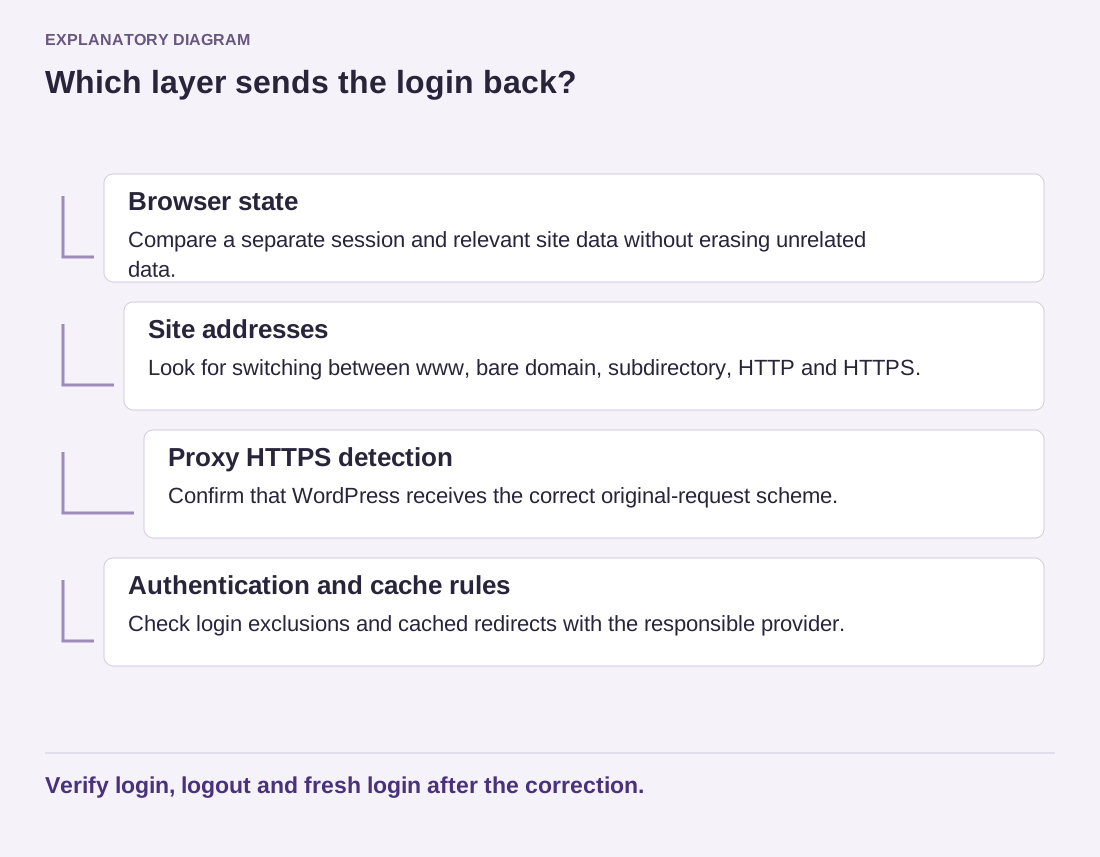
Read the diagram as text
- Browser state: Compare a separate session and relevant site data without erasing unrelated data.
- Site addresses: Look for switching between www, bare domain, subdirectory, HTTP and HTTPS.
- Proxy HTTPS detection: Confirm that WordPress receives the correct original-request scheme.
- Authentication and cache rules: Check login exclusions and cached redirects with the responsible provider.
Verify login, logout and fresh login after the correction.
If a recent authentication-plugin change is implicated, use a test environment or supported recovery procedure to isolate it. Keep a working authorized access route available. Do not disable every security measure on the public site as a permanent workaround.
After a correction, test login, logout and a fresh login from an ordinary session. Verify the intended destination and confirm that personalized content is not served to another visitor. Record the responsible layer and the exact adjustment. A loop is resolved when the authentication journey is consistent, not merely when one previously open administrator tab remains accessible.